Brother PE800 vs SE1900: Which Embroidery Machine Wins?
This post contains affiliate links. As an Amazon Associate, Latest Embroidery earns from qualifying purchases, at no extra cost to you. Learn more.
How We Research
Every machine, thread, and accessory we cover is researched in depth, not reprinted from a spec sheet. Here is what goes into a Latest Embroidery review:
- Specs, cross-checked. We verify manufacturer specifications against multiple retailers and official manuals, so the numbers you read are accurate and current.
- What owners actually report. We read through verified buyer reviews, warranty complaints, and community threads to surface the real-world issues, threading, hooping, bobbin changes, noise, and jams, that owners run into after the first few weeks.
- Value, not hype. We weigh each pick against its closest alternatives and tell you who a product is, and isn’t, for.
- Kept current. Prices and models move fast, so every review carries a last-updated date.
- Independence. We earn affiliate commissions if you buy through our links, but that never decides our recommendation. Read our disclosure.
Compiled by the Latest Embroidery editorial team · Last updated July 2026
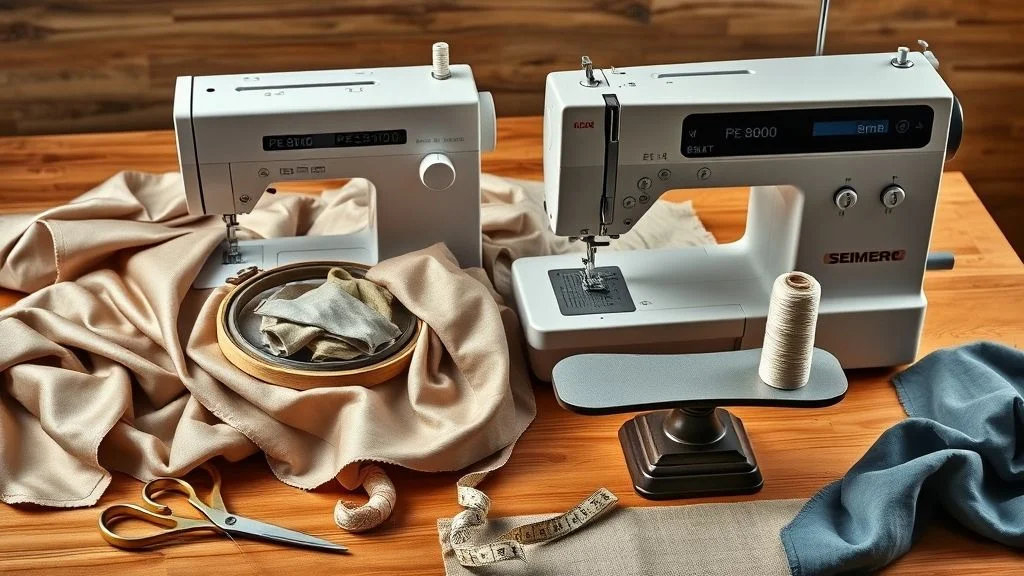
Two of the most popular machines in the intermediate category are the Brother PE800 and the Brother SE1900. They look similar and share the exact same embroidery field, yet there’s a real price gap between them. So which one actually offers better value for you? The honest answer comes down to one question: do you already own a sewing machine? This guide breaks down the differences, the shared hardware, a side-by-side spec table, the business-ROI angle, and a clear verdict so you can decide with confidence.
The Fundamental Difference
Short on time? If you only take one thing from this guide: Brother SE700 — the machine we point most beginners to — touchscreen, wireless transfer, and it sews as well as embroiders.
View current Amazon listing → or see all machine picks ↓Brother PE800: Embroidery ONLY. It cannot sew a straight stitch. It has no feed dogs, no foot pedal, and no utility/decorative sewing stitches. It is a dedicated embroidery machine and nothing else.
Brother SE1900: A true combo machine. It is a fully featured sewing machine and an embroidery machine in one unit.
Shared Features (Why the Embroidery Is Identical)
Related reading: our under-$1,000 machine picks
Both machines share the same “embroidery engine.” That means stitch quality, maximum embroidery speed (650 stitches per minute), the 5″ x 7″ maximum hoop area, and the same 138 built-in embroidery designs are identical between them. Both have a 3.2″ LCD color touchscreen, a USB port for importing your own designs, automatic needle threading, and the same on-screen editing tools (rotate, mirror, resize). If you only care about the embroidery result, the two machines perform exactly the same.
Why Pay More for the SE1900?
The SE1900 justifies its higher price tag entirely with sewing capability the PE800 lacks:
- 240 Built-in Sewing Stitches: A large library of utility, decorative, and heirloom stitches, plus 10 one-step auto-size buttonholes.
- Sewing Speed up to 850 SPM: Faster than the embroidery engine, for general garment construction.
- My Custom Stitch: Design and save your own sewing stitches on the screen.
- 8 Sewing Feet + Free Arm: Everything you need to construct garments, hem cuffs, and finish seams.
- Adjustable Presser Foot Pressure & Automatic Thread Cutting: Conveniences a dedicated embroidery machine doesn’t need.
Side-by-Side Comparison
| Feature | Brother PE800 | Brother SE1900 |
|---|---|---|
| Machine type | Embroidery only | Sewing + embroidery combo |
| Embroidery area | 5″ x 7″ | 5″ x 7″ |
| Max embroidery speed | 650 spm | 650 spm |
| Built-in embroidery designs | 138 | 138 |
| Sewing stitches | None | 240 |
| Max sewing speed | N/A | 850 spm |
| Buttonholes | N/A | 10 one-step auto-size |
| Sewing feet included | Embroidery foot only | 8 feet |
| Touchscreen | 3.2″ color LCD | 3.2″ color LCD |
| USB import | Yes | Yes |
| Free arm | No | Yes |
The Verdict: Which Should You Buy?
Buy the PE800 if: You already own a good sewing machine. There is no reason to duplicate that functionality. Why pay extra for feed dogs and 240 stitches you’ll never touch? Put the savings toward thread, stabilizer, and a digitizing program instead.
Buy the SE1900 if: You’re space-constrained and want one machine to do everything, or your current sewing machine is a basic mechanical model you’d like to upgrade. The SE1900 is a genuinely capable sewing machine first and a great embroidery machine second, so the higher price buys you real, separate capability, not just a nicer embroidery result.
Thinking About a Side Business? The ROI Angle
If you’re buying to start or grow a small embroidery business, the decision isn’t only about price, it’s about which machine fits your daily workflow and how quickly it pays for itself. Since the two machines stitch embroidery identically, the SE1900’s premium only earns its keep if you’ll actually use the sewing side: hemming finished blanks, constructing garments, or quilting between embroidery jobs. If your business is purely “stitch a design onto a customer’s blank, ” the PE800 produces the same finished embroidery for less money, which is the better return on capital.
Whichever you choose, the biggest real-world time sink is usually hooping, not stitching. Both machines accept the same standard Brother hoops, so a hooping upgrade (such as a magnetic hoop) and a solid design workflow will move your throughput far more than the machine choice itself. Track your true cost per item, machine cost amortized plus thread, stabilizer, and your time per piece, rather than buying on spec-sheet bragging rights.
A Simple Test Workflow Before You Commit
If you can get hands-on time with either machine (a dealer demo, a friend’s unit, or a return-friendly retailer), run a quick, repeatable test instead of guessing:
- Prepare one design. Pick a simple multi-color motif sized for the 5″ x 7″ field and load it via USB.
- Use identical materials. Same fabric, same stabilizer, same thread on each run so you’re comparing the machine, not the setup.
- Time the full cycle. Record hooping time, stitch-out time, thread changes, and any thread breaks or puckering per run.
- Stitch out twice. Repeat to confirm the result is consistent and not a one-off.
- Tally your numbers. Compare total minutes per finished piece and defect rate. For the SE1900, also factor in whether the sewing features save you a second machine.
Software & Tools That Help With Either Machine
Neither machine digitizes artwork for you, so to go beyond the built-in designs you’ll want digitizing or editing software. Embrilliance Essentials is a popular, approachable choice for importing, resizing, recoloring, and merging designs, and it works with the standard PES files both Brother machines read. For creating original artwork to hand off to a digitizer, free tools like Canva or GIMP are fine for concepting, but remember that a raster image still has to be properly digitized into a stitch file, software speeds up the workflow, it doesn’t replace good digitizing for complex fills. Design transfers happen the same way on both machines: save the stitch file to a USB stick and load it on the machine’s touchscreen.
Frequently Asked Questions
Is the embroidery quality really the same on both machines?
Yes. They share the same embroidery engine, 650 spm max embroidery speed, 5″ x 7″ field, and the same 138 built-in designs, so a given design stitches out identically on either one.
Can the PE800 sew a regular seam?
No. The PE800 is embroidery-only, it has no feed dogs, foot pedal, or sewing stitches. If you need to sew, you need the SE1900 or a separate sewing machine.
Do both machines use the same designs and file format?
Yes. Both read PES files and import via USB, and both ship with the same 138 built-in designs, 11 font styles, and frame shapes. Any design that runs on one will run on the other.
Which is better value for a beginner?
If you don’t already own a sewing machine, the SE1900 is the better single purchase because it covers both jobs. If you do, the PE800 gives you the identical embroidery result for less.
Can I upgrade the hoop on these machines?
Both use standard Brother hoops, and many users add a magnetic hooping system to speed up fabric loading and reduce hooping defects on high-volume work. Always confirm a given accessory hoop lists PE800/SE1900 compatibility before buying.
Bottom Line
The embroidery is identical, so the choice is purely about sewing. Own a sewing machine already? The PE800 is the smart-money pick. Need one machine that does everything? The SE1900 earns its premium. Decide with that one question, not the spec sheet, and you’ll get the better value for your situation.