Janome Memory Craft 500E Review: 7.9′ Hoop & 160 Designs
This post contains affiliate links. As an Amazon Associate, Latest Embroidery earns from qualifying
purchases, at no extra cost to you. Learn more.
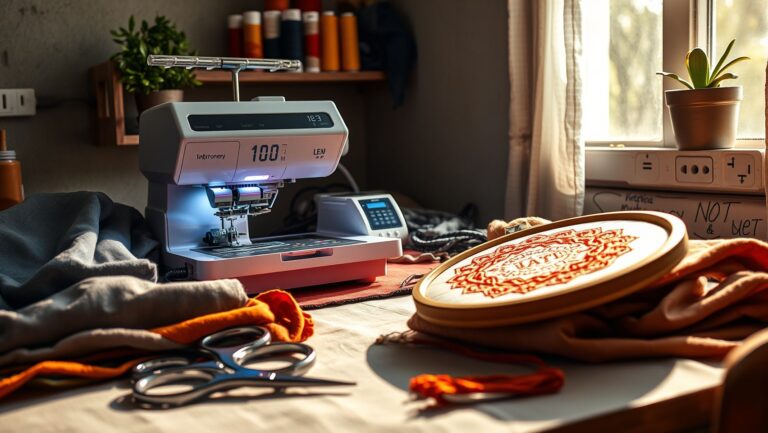
The Janome Memory Craft 500E is an embroidery-only machine whose main attraction is its 7.9 × 11-inch embroidery area. It has 160 built-in designs, but it does not replace a sewing machine for seams or garment construction. Janome now lists the model as discontinued, so condition, included accessories and local support matter when judging an offer.
Quick buying verdict: consider a 500E if you need that larger embroidery field and can inspect the machine or buy with clear dealer support. Compare the complete delivered package, not an old launch price. Ask a Janome dealer about availability before assuming a listing is new stock.
If a smaller embroidery field is enough: compare the Brother NQ1700E listing on Amazon (6 × 10 inches) or the Brother PE900 listing on Amazon (5 × 7 inches). Both are embroidery-only; neither matches the 500E’s full field. Check the selected bundle, seller and support terms.
How We Research: this is a manufacturer-source buying review, not a hands-on test. We have removed earlier unsubstantiated stitch-time, accuracy, savings and warranty claims. We have not tested the machines or the Amazon bundles linked here.
Unboxing and Quick Setup
Treat this as an accessory checklist, not a claim that we unboxed the machine. A used sale may omit parts that were originally supplied. Ask for photographs of the actual unit and everything included rather than relying on a stock image.
| Item | Specification |
|---|---|
| Machine type | Dedicated single-needle embroidery machine |
| Maximum embroidery area | 7.9 × 11 inches / 200 × 280 mm |
| Built-in library | 160 designs and six monogramming fonts |
| Published embroidery speed | 400–860 stitches per minute; not an end-to-end project-time guarantee |
| Original hoop set | RE28b 7.9 × 11; SQ20b 7.9 × 7.9; RE20b 5.5 × 7.9; SQ14b 5.5 × 5.5 inches |
| Design transfer | USB; Janome lists JEF embroidery format |
| Availability | Discontinued; ask an authorized dealer about remaining availability |
Source: Janome’s 500E product specifications. Confirm the accessory inventory for the actual machine and your market. Do not assume a digitizing-software license transfers with a second-hand sale.
Before powering on, obtain the correct manual, check the unit’s electrical rating and arrange enough clear space for the carriage and hooped fabric. Ask the dealer to demonstrate threading, bobbin insertion, hoop attachment and normal startup. Do not use improvised calibration instructions or move internal adjustment screws.
Hoop Size Analysis and Project Tips
The full 7.9 × 11-inch field is the reason to compare this machine with smaller models. A description that says only “7.9-inch hoop” hides the rectangular dimension. Measure the design you actually intend to stitch in both directions, including its lettering or border.
A larger field can reduce the need to split a design that fits within it. It does not mean every garment can be hooped easily or that a larger aftermarket frame expands the machine’s stitching limits. Check the project’s access, bulk and usable fabric area as well as the design dimensions.
For small work, choose a compatible hoop that suits the design and fabric rather than using the largest frame automatically. Match stabilizer to the fabric and design, and test a scrap before committing a garment. Our water-soluble stabilizer guide explains when a removable material is useful; it is not a universal replacement for other backing.
Stitch Test Results and Optimization
We do not have verified in-house stitch-test results for this machine. Instead, use a seller demonstration to assess the individual 500E you are considering. A specification sheet cannot show wear, handling damage or intermittent faults.
- Ask to see normal startup and operation of the screen, controls, threader and thread cutter.
- Have the seller stitch a familiar design on suitable scrap and backing. Look at the front and back, not just the on-screen preview.
- Check that the carriage travels normally and that every included hoop attaches securely without visible damage.
- Ask for a USB design-import demonstration. Confirm the machine reads an appropriate file rather than merely recognizing the drive.
- Request service history, the serial number and a written description of known faults. Clarify the return arrangement before payment or shipping.
Do not treat an unusually fast demonstration or a perfect sample photograph as a promise for all fabrics. A project includes thread changes, trims, preparation and finishing, so maximum stitch speed is not the same as total production speed.
importing and Editing Designs
Keep three tasks separate: transferring an existing stitch file, making supported on-screen edits, and digitizing new artwork. Buying the 500E does not turn a JPG or PNG into a stitch-ready design by itself. Likewise, software being able to open PES or DST does not prove that the machine directly reads those formats.
Janome’s 500E and Embroidery Editor support page links its USB-formatting guidance and embroidery specifications. At this review date it lists no available 500E or Embroidery Editor updates. Use that support page and the manual for the exact USB preparation and file requirements; there is no verified laser-calibration firmware upgrade to recommend here.
If you want to create your own artwork-based files, evaluate separate digitizing software and its computer requirements before purchasing. Our Hatch versus Wilcom comparison covers that decision. Do not assume an old MBX installer, serial number or Mac-compatible license comes with the machine.
Price and Feature Comparison
There is no single verified current selling price for every 500E. Ask for a written quote describing condition, included hoops and table, servicing, delivery and any warranty. For a used private sale, price the missing accessories and inspection risk before deciding it is a bargain.
| Machine | Field | Buying trade-off |
|---|---|---|
| Janome Memory Craft 500E | 7.9 × 11 inches | Largest field in this comparison. Discontinued; assess the actual unit, accessory package and dealer support. |
| Brother NQ1700E | 6 × 10 inches | Consider if your designs fit a smaller field. Brother lists wireless transfer capability; verify computer/workflow requirements and the retailer’s bundle. |
| Brother PE900 | 5 × 7 inches | Consider for smaller designs. It is not a like-for-like replacement for large 500E projects, and it does not sew seams. |
Alternative specifications: Brother NQ1700E and Brother PE900. If your essential design needs the 500E’s full field, do not downsize just because a smaller machine is easier to order.
For business use, judge value against the work you can actually sell and the support you can obtain. This review does not establish a payback period, a resale value or a percentage saving in thread.
FAQs and Troubleshooting
Is the Memory Craft 500E beginner-friendly?
It can be considered by a beginner who specifically wants machine embroidery and a larger field. Budget time for threading, hooping, stabilizer selection and test stitching. A dealer demonstration is more useful than a promise that everyone learns within a few projects.
Does it sew as well as embroider?
No. The 500E is an embroidery-only machine. You need a separate sewing machine, or a sewing-and-embroidery model, for ordinary seams and garment construction.
How should I handle thread breaks?
Follow the model’s troubleshooting instructions and check threading, the specified needle and the design/material combination. Do not adopt a universal tension number or needle size from a review. Stop for needle contact or abnormal mechanical noises and ask for service advice.
What warranty comes with a used 500E?
Do not assume an original warranty transfers. Ask the seller and an authorized dealer for the terms that apply to that particular unit and location, including parts, labour, transport and any dealer service guarantee.
Can I embroider a photo directly?
A photo must first be turned into suitable embroidery data through digitizing; renaming a JPG is not enough. Review the resulting stitch file, size and machine compatibility, and test it on the intended materials.
Conclusion
The 500E is worth considering for its larger embroidery field, provided the actual machine and support package justify the price. Inspect a used unit, verify the accessories and file workflow, and compare smaller alternatives only if they fit your projects. For on-screen faults, use our model-aware Janome error-code guide alongside the manufacturer documentation.