Brother Skitch PP1 Review (2026): Who It’s Really For
This post contains affiliate links. As an Amazon Associate, Latest Embroidery earns from qualifying
purchases, at no extra cost to you. Learn more.
The Brother Skitch PP1 is the most talked-about embroidery machine of the past year for one simple reason: it’s sold at Walmart, Best Buy, and Amazon at an impulse-adjacent price, and it promises embroidery with a phone instead of a manual. Before we go further, transparency: this review is based on Brother’s published specifications and a close reading of several dozen owner reports — we haven’t run our own stitch-outs on a PP1 yet, and we’ll update this page when we have. That said, the owner-report pattern is consistent enough to draw honest conclusions about who this machine suits and who it will frustrate.
Short answer: the Skitch PP1 is a genuinely clever first taste of embroidery for phone-native crafters making small personalization projects. But if you suspect embroidery might become a real hobby, the Brother SE700 — often only modestly more expensive — is the better machine in almost every practical way.
What the Skitch PP1 actually is
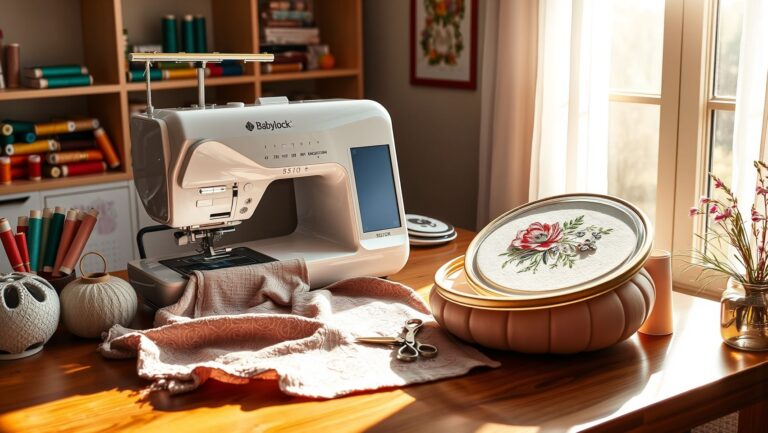
A compact, embroidery-only machine with a roughly 4×4 stitch field, driven almost entirely through Brother’s Artspira app. There’s no traditional on-machine editing workflow: you pick or build designs on your phone or tablet, send them wirelessly, and the machine stitches. Brother pitches it at absolute beginners — the marketing barely uses the word “embroidery machine,” and the Artspira ecosystem includes a subscription content library of ready-made designs.
That app-first design is both the whole appeal and the main source of complaints.
What owners consistently like
- Setup-to-first-stitch time. The guided app flow gets complete beginners stitching the same afternoon — the exact hurdle that traditional machines flunk.
- Size and looks. It’s small and light enough to live on a shelf and come out for weekend projects.
- Snap-in hooping aids. The magnetic-style frame system is forgiving for beginners who haven’t learned proper hooping tension yet (a skill worth learning regardless — our hoop guide explains why).
The documented pain points
- Artspira connectivity. The most common complaint thread: app-to-machine transfers failing or dropping mid-session, and the machine being nearly unusable when the app misbehaves — because the app is the interface. A traditional machine with USB transfer has no such single point of failure.
- Thread-feed sensitivity. Multiple owners report thread breaks and nesting that trace back to the simplified threading path being intolerant of cheap thread or slightly wrong spool orientation. Quality 40wt polyester helps — see our thread brand roundup.
- The subscription question. The machine works without Artspira’s paid tier, but much of the advertised design library sits behind it. Budget for that honestly when comparing prices.
- Limited growth path. No native support for the standard PES workflow beginners eventually graduate into (custom digitized designs, letterings, third-party design packs) without going through the app’s constraints. If you plan to digitize your own designs — say, with our free PNG-to-DST converter or any digitizing software — check the current state of Artspira’s custom-upload support carefully before buying.
Skitch PP1 vs Brother SE700
| Skitch PP1 | Brother SE700 | |
|---|---|---|
| Field | ~4×4 | 4×4 |
| Interface | App-only (Artspira) | Touchscreen + app + USB |
| Also sews | No | Yes (103 stitches) |
| Custom designs (PES) | Via app, constrained | Standard, USB or wireless |
| Best for | Casual personalization | Anyone who might get serious |
See Skitch PP1 listing → Check SE700 price →
Our verdict
Buy the Skitch PP1 if: you want occasional, phone-driven personalization — names on onesies, small motifs on totes — and the idea of learning a “real” embroidery machine is precisely what’s stopped you so far. It removes that barrier better than anything else on the market.
Buy the SE700 instead if: there’s any chance embroidery becomes a weekly hobby or a side income. The moment you want designs the app doesn’t offer, thread flexibility, bigger projects via the patch route, or plain independence from an app’s Wi-Fi mood, the traditional machine wins — and it sews, too. Start with our 2026 machine guide if you’re weighing the whole field.
Frequently Asked Questions
Is the Brother Skitch PP1 a real embroidery machine?
Yes — it stitches genuine machine embroidery in a ~4×4 field. The difference from traditional machines is the interface: it’s operated through the Artspira app rather than an on-machine workflow, which is simpler but also its biggest limitation.
Does the Skitch PP1 require a subscription?
The machine functions without one, but a large share of the advertised design library requires Artspira’s paid tier. Factor that recurring cost into any price comparison.
Can the Skitch PP1 use my own embroidery files?
Only through the app’s constrained upload path, not the standard USB/PES workflow — check Artspira’s current custom-design support before buying if this matters to you.
Skitch PP1 or Brother SE700 — which should a beginner buy?
If you’re sure embroidery stays a casual, phone-driven activity: the Skitch. If it might become a real hobby or side business: the SE700 — it costs somewhat more but supports standard files, sews, and won’t be bottlenecked by an app.