AI Embroidery: Image to Stitch in Minutes?
Tired of spending hours manually digitizing embroidery designs? Discover how AI can transform your workflow from image to stitch-ready file in a fraction of the time, opening up new creative possibilities. AI embroidery digitizing is a revolutionary process that leverages artificial intelligence to automatically convert digital artwork into stitch files suitable for embroidery machines. This technology offers significant benefits, primarily in terms of speed and efficiency, drastically reducing the time-consuming manual labor traditionally associated with digitizing. While AI automates much of the complex conversion, the process often involves a blend of AI automation with essential manual adjustments to achieve professional results. Many leading embroidery machine manufacturers, such as Tajima and Brother, are integrating advanced software solutions that incorporate these AI capabilities.
The global embroidery market is substantial and growing, with significant demand for personalized products fueling innovation in both software and hardware. Companies are developing sophisticated AI embroidery digitizing software that can handle intricate designs, making this technology accessible to embroiderers of all levels. Embrace the future of embroidery and learn how to harness AI to bring your designs to life faster than ever before.
Unlocking AI’s Potential: How It Digitizes Your Designs
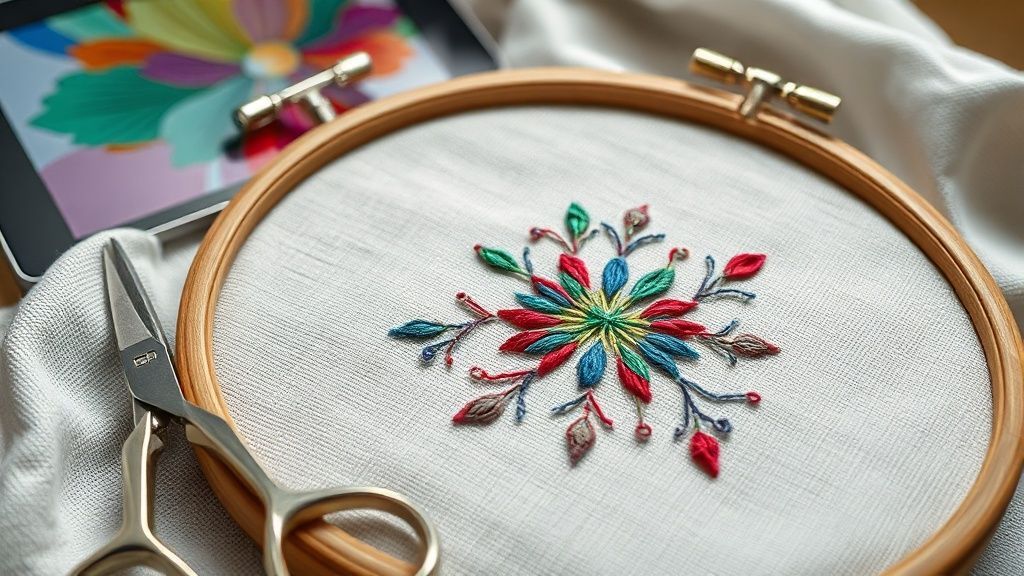
Artificial intelligence is revolutionizing the embroidery world by making the process of converting a digital image into a stitch-ready file faster and more accessible than ever before. Gone are the days of manual digitizing, which required specialized skills and significant time investment. AI-powered software acts as your digital assistant, meticulously analyzing your artwork and translating it into the language your embroidery machine understands.
This advanced technology streamlines the entire workflow, from the moment you upload your design to the final stitch generation. It’s akin to having a master digitizer on call 24/7, ready to tackle complex designs with remarkable speed and precision.
The Core AI Digitizing Workflow
The journey from a flat image to a tangible embroidery design begins with a simple upload. You’ll typically upload your image in common formats like JPG, PNG, or SVG into the AI embroidery software. The AI then takes center stage, acting like a smart interpreter. It meticulously scans the image, identifying distinct elements, shapes, and color blocks. This analytical phase is crucial, as it forms the blueprint for the digitization process.
Key AI Capabilities in Action
Once the AI understands the design’s components, it employs sophisticated algorithms for auto-tracing and object detection. Imagine the AI drawing precise outlines around each element of your design, much like a skilled artist would, but with digital accuracy. It then intelligently predicts and applies the most suitable stitch types, whether that’s a dense fill stitch for solid areas, a satin stitch for clean edges, or a simple running stitch for details. This selection is often informed by the design’s complexity and the intended fabric texture.
Furthermore, AI plays a vital role in optimizing stitch paths and density. It calculates the most efficient routes for the embroidery machine’s needle, minimizing unnecessary movements and thread changes. This optimization not only saves time during the stitching process but also conserves thread, contributing to cost-effectiveness. The end result is a machine-readable embroidery file, commonly saved in formats like DST, PES, or JEF, ready to be loaded onto your embroidery machine.
Step-by-Step: Your First AI Digitized Design
Digitizing embroidery designs can transform a flat image into a textured masterpiece for your sewing machine. AI-powered software has dramatically streamlined this process, making it more accessible than ever. This guide will walk you through the essential steps to create your first AI-digitized embroidery design, from selecting the right tools to saving your final stitch file.
The embroidery software market is experiencing growth, driven by increased interest in personalized crafts and home décor. AI digitizing tools are at the forefront of this trend, offering a faster and more intuitive approach for both beginners and experienced digitizers. By leveraging artificial intelligence, these programs can interpret complex artwork and translate it into stitch instructions with remarkable accuracy.
Choosing Your AI Embroidery Software
Selecting the right AI-powered software is crucial for a smooth digitizing experience. Consider your budget and skill level. Options like Hatch Embroidery, with its Hatch 3 version, and Brother PE-Design 11 are popular choices. Hatch 3 is a robust option for professionals and hobbyists alike, while PE-Design 11 is known for its user-friendly interface, making it a strong contender for those new to digitizing.
Preparing Your Image for AI Digitization
The quality of your input image directly impacts the digitized output. Always start with a high-resolution image. Supported formats typically include JPG, PNG, and SVG. Ensure your image has clear lines, distinct colors, and minimal background noise. Before uploading, you might want to simplify complex designs or adjust color palettes within an image editor to assist the AI in its interpretation.
Utilizing the ‘Auto-Digitize’ Feature
Once your image is uploaded, the magic of AI comes into play with the ‘Auto-Digitize’ feature. This function analyzes your artwork, identifying shapes, colors, and details to generate an initial set of stitch paths and types. For instance, Hatch Embroidery’s auto-digitizer is designed to convert artwork into embroidery files with just a few clicks, intelligently suggesting stitch settings.
Previewing and Saving Your Design
After the AI generates the design, it’s essential to review it meticulously using the software’s preview function. Check for any errors, such as disconnected stitches, incorrect stitch types, or areas that didn’t digitize as expected. Most AI software allows for manual adjustments at this stage. Once satisfied, save your design in a format compatible with your embroidery machine, such as DST, PES, or JEF. This ensures your machine can read and stitch the file correctly.
The craft industry, including embroidery, continues to embrace technological advancements. AI digitizing software exemplifies this, offering a powerful yet accessible way to bring creative visions to life. By following these steps, you can efficiently transform your digital artwork into stunning embroidery projects.
Beyond Automation: Manual Tweaks for Perfection
While artificial intelligence has revolutionized the digitization of embroidery designs, transforming complex images into stitch-ready files in minutes, the process isn’t entirely hands-off. For truly professional results that stand out, manual adjustments are still a crucial final step. AI provides an impressive starting point, but human expertise is essential to refine the design, enhance its quality, and ensure it translates flawlessly onto fabric, meeting the high standards of the craft industry.
The world of embroidery continues to see innovation, with software developers constantly refining AI algorithms. However, the nuances of fabric, thread tension, and desired aesthetic often require a skilled hand to perfect. This post-AI refinement ensures that your digitized designs are not just machine-readable but also aesthetically pleasing and durable, preventing common issues like puckering or thread breakage.
Common Post-AI Adjustments for Flawless Embroidery
Even the most advanced AI can produce designs with slightly jagged edges or inconsistent stitch density. Using a program’s node editing tools, you can smooth these rough areas. Adjusting stitch density is also vital; too dense and the fabric may pucker, too sparse and the design may look weak. Similarly, tweaking stitch direction can dramatically improve the flow and appearance of fills and gradients, giving the design depth and dimension.
Ensuring Stability and Preventing Puckering with Underlay
A critical step often overlooked by beginners is the addition of underlay stitches. These foundational stitches provide stability to the fabric, especially in areas with dense stitching or on stretchy materials. Proper underlay prevents the main design stitches from sinking into the fabric or causing it to distort, ensuring a clean, flat finish. Different types of underlay, such as zigzag or running stitches, can be employed depending on the design and fabric.
Refining Stitch Details for Professional Polish
Beyond basic density and direction, examining individual stitch lengths and transitions is key. Long stitches can be prone to snagging and breakage, while abrupt changes in direction can create unnecessary thread tension. Manually adjusting these elements ensures a smoother stitch-out, reducing the risk of errors during the embroidery process. Furthermore, meticulously checking for and correcting small errors like gaps between design elements or overlapping stitches is paramount for a polished, professional look.
Software like Wilcom Embroidery Studio, with a professional price point often exceeding $4, 000, and Hatch Embroidery offer robust manual editing tools. These professional-grade options allow embroiderers to leverage the speed of AI while retaining the precise control needed for high-quality results. The embroidery market continues to grow, with a demand for intricate and well-executed designs, making these manual refinement skills invaluable.
Embroidery Software: AI vs. Manual Control
While AI excels at rapid conversion, manual editing tools are indispensable for achieving top-tier embroidery. Here’s a look at how these software solutions empower embroiderers:
AI vs. Manual Digitizing: Making the Right Choice
The world of embroidery digitizing is rapidly evolving, with artificial intelligence (AI) emerging as a significant force alongside traditional manual methods. Understanding the strengths and weaknesses of each approach is crucial for embroiderers aiming for efficiency, quality, and cost-effectiveness. While AI offers unprecedented speed, manual digitizing continues to be indispensable for its precision and creative control.
The Speed and Efficiency Advantage of AI
AI-driven embroidery digitizing is revolutionizing the industry with its remarkable speed. Designs that once took hours of manual effort can now be converted into stitch-ready files in mere minutes. This rapid turnaround is a significant advantage for businesses facing tight deadlines or handling high-volume orders. AI software analyzes artwork, identifies design elements, and automatically generates stitch paths, dramatically reducing the labor involved. This efficiency translates directly into cost savings, as less time is spent on each design, making AI an attractive option for budget-conscious projects. The ongoing advancements in AI technology promise even faster and more automated workflows in the coming years, further solidifying its role in the embroidery market.
Manual Digitizing: The Domain of Complexity and Nuance
Despite AI’s speed, manual digitizing remains the superior choice for intricate, artistic, and highly detailed designs. Human digitizers possess a level of critical judgment and creative decision-making that AI algorithms currently cannot replicate. They can intuitively account for fabric types, thread tensions, and nuanced stitch placements to achieve the finest details and artistic expressions. This human touch is essential for designs that require a specific aesthetic or have fine lettering and complex gradients where AI might falter. The expertise of a manual digitizer ensures that the final embroidered product meets the highest standards of quality and aesthetic appeal, especially for bespoke or high-end projects.
Quality Control: Consistency vs. Human Nuance
AI embroidery digitizing excels in consistency, ensuring that each design is replicated with machine-like precision, minimizing errors. However, this consistency can sometimes lack the subtle refinements that a human eye can introduce. Manual digitizers can make micro-adjustments for push-and-pull compensation, select optimal underlays, and tailor stitch direction to the fabric’s grain, all of which contribute to a superior final product. While AI can handle basic adjustments, it often struggles with complex fabric interactions or achieving the nuanced look of expertly crafted embroidery.
Choosing the Right Path: AI, Manual, or Hybrid?
The choice between AI and manual digitizing often depends on the specific project requirements. For simple logos, bulk orders, or quick turnaround needs, AI digitizing presents an efficient and cost-effective solution. Conversely, for intricate artwork, personalized pieces, or designs where artistic integrity is paramount, manual digitizing is the preferred method. Many professionals find that a hybrid approach yields the best results, utilizing AI for initial conversions and then employing manual editing to refine the design, ensuring both speed and exceptional quality. This blended strategy allows businesses to leverage the strengths of both technologies, offering flexibility and high-quality outcomes.
AI Embroidery: Image to Stitch in Minutes?
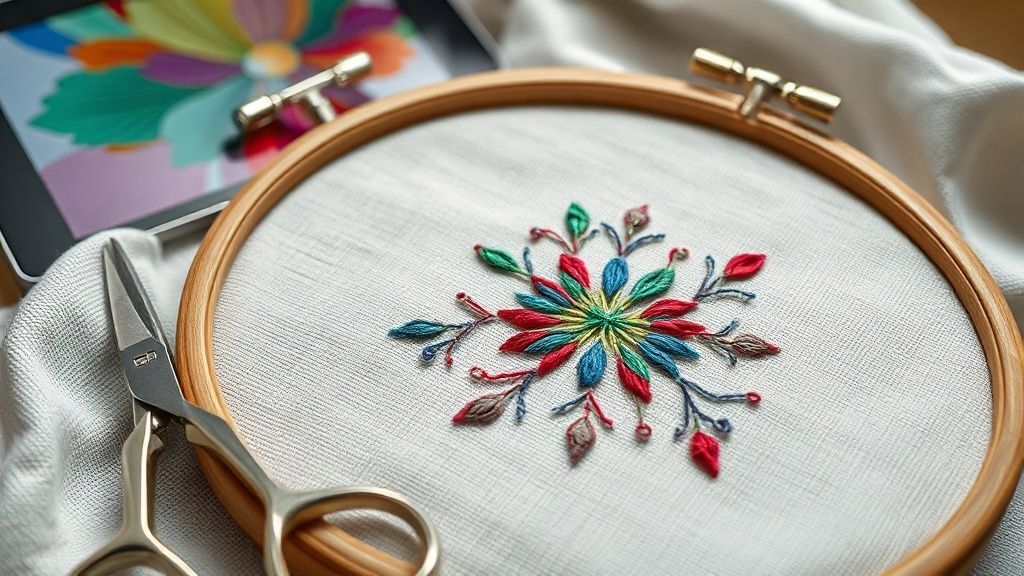
The integration of Artificial Intelligence (AI) into embroidery digitizing software is revolutionizing how designs are transformed into stitch-ready files. This technological leap promises to significantly reduce the time and expertise required, making complex designs more accessible to a broader range of users. AI-powered tools can automate tedious tasks, interpret intricate details, and suggest optimal stitch types, streamlining the entire digitizing process.
For both hobbyists and professionals, understanding the landscape of AI-driven embroidery software is key to leveraging these advancements. This section explores some of the leading solutions, highlighting their unique strengths, target audiences, and investment levels.
Software Spotlight: Top AI-Powered Digitizing Tools
Several software packages stand out for their innovative use of AI in embroidery digitizing. These tools range from comprehensive professional suites to more accessible options for beginners.
Wilcom Embroidery Studio
Wilcom Embroidery Studio is a name synonymous with professional embroidery digitizing. Its latest iterations incorporate advanced AI features designed for complex, high-volume production environments. These AI capabilities include intelligent automatic stitch mapping, which can interpret raster images and convert them into stitch data with remarkable accuracy, and AI-driven error detection, helping to prevent common digitizing mistakes.
Hatch Embroidery
Hatch Embroidery offers a compelling blend of user-friendliness and robust AI functionality. It caters to a wide spectrum of users, from those new to digitizing to experienced professionals. Hatch’s AI tools assist in design creation, automatic stitch generation, and intelligent object recognition, significantly speeding up the workflow while maintaining creative control. Its intuitive interface makes complex tasks more manageable.
Brother PE-Design 11
For users invested in the Brother ecosystem, Brother PE-Design 11 presents a powerful digitizing solution. This software leverages AI to enhance efficiency, particularly for common digitizing tasks. It’s designed to simplify the process of converting images into embroidery files, making it a solid choice for those looking to improve their productivity with Brother embroidery machines.
Chroma (Ricoma)
Chroma by Ricoma integrates AI-driven auto-digitizing with the flexibility of manual control. This approach is ideal for users who want the speed of automation but also the ability to fine-tune designs. Chroma is particularly appealing for owners of Ricoma embroidery machines, offering a seamless experience within their existing setup. The Inspire tier of Chroma is priced at $599.
Other Notable Options
Beyond these, Tajima DG16 and Embrilliance also offer significant AI or automation features that appeal to modern digitizers. Tajima DG16 continues its legacy of professional-grade software with AI enhancements, while Embrilliance provides versatile tools with intelligent features that simplify many digitizing challenges.
The current embroidery market shows a growing demand for faster, more intuitive digitizing solutions. Trends indicate that AI’s role will only expand, offering new possibilities for complex designs and personalized embroidery. The availability of these powerful tools is democratizing the art of embroidery digitizing, allowing more creators to bring their visions to life efficiently.
Troubleshooting Common AI Digitizing Challenges
While AI significantly streamlines the embroidery digitizing process, it’s not without its hurdles. Understanding and proactively addressing common challenges can prevent frustration and ensure professional-quality results. This section will guide you through typical issues and offer practical solutions.
The world of digital embroidery is constantly evolving, with AI tools becoming increasingly sophisticated. Staying ahead of potential problems ensures you can leverage these advancements for efficient and high-quality design creation. Many of these solutions involve a combination of AI software settings and traditional embroidery best practices.
Handling Intricate Designs and Fine Details
AI can sometimes struggle with highly detailed or complex images, leading to flattened or poorly rendered stitches. A key strategy is to break down intricate designs into smaller, manageable sections within your AI software. This allows the AI to process each part more effectively, preserving fine details.
Preventing Thread Breakage
Thread breakage is a common nuisance, often caused by excessive stitch density, incorrect tension, or low-quality materials. Optimizing stitch density is crucial; too many stitches in a small area create bulk and strain. Ensure your machine’s thread tension is properly set for the fabric and thread type you’re using. Using high-quality embroidery thread and performing manual checks on stitch paths can also prevent breakage.
Avoiding Fabric Puckering
Fabric puckering occurs when the fabric is pulled or distorted during embroidery, often due to improper stabilization or tension. Ensuring your fabric is hooped tautly and correctly is the first step. Selecting the appropriate stabilizer for your fabric type and using adequate underlay stitches to support the design can significantly reduce puckering.
Ensuring Machine Compatibility
Not all embroidery machines support every file format, which can lead to import errors. Always save your digitized designs in a format compatible with your specific embroidery machine. Common formats include .DST.PES.JEF, and .EXP. Verify your machine’s supported file types and export your design accordingly from your AI software.
Resolving Scaling and Resizing Issues
When resizing designs, especially those created with AI, stitch density can become compromised. If a design appears too dense or too sparse after resizing, manual adjustments to stitch settings may be necessary. Most digitizing software offers a stitch recalculation feature, which is vital after any scaling operation to ensure stitch integrity.
Regularly updating your AI digitizing software is also recommended, as manufacturers often release patches that improve AI algorithms and fix bugs. Performing test runs on scrap fabric before committing to your final project is an invaluable step in identifying and resolving any of these issues.
Conclusion
AI embroidery digitizing is set to revolutionize how we approach design conversion, offering a significantly faster and more efficient method to transform images into stitch-ready files. While the speed and automation provided by AI are impressive, remember that the human touch remains indispensable for achieving those polished, professional-quality results. By mastering the workflow, selecting the appropriate AI software, and developing strategies to overcome common hurdles, you’re perfectly positioned to harness this powerful technology. Embrace AI embroidery to not only save valuable time and effort but also to unlock new dimensions of creativity and boost your overall efficiency.
Don’t let outdated methods hold you back. Explore AI-powered embroidery software options today and start transforming your designs faster than ever before! It’s time to elevate your embroidery game.